 Open Diorame
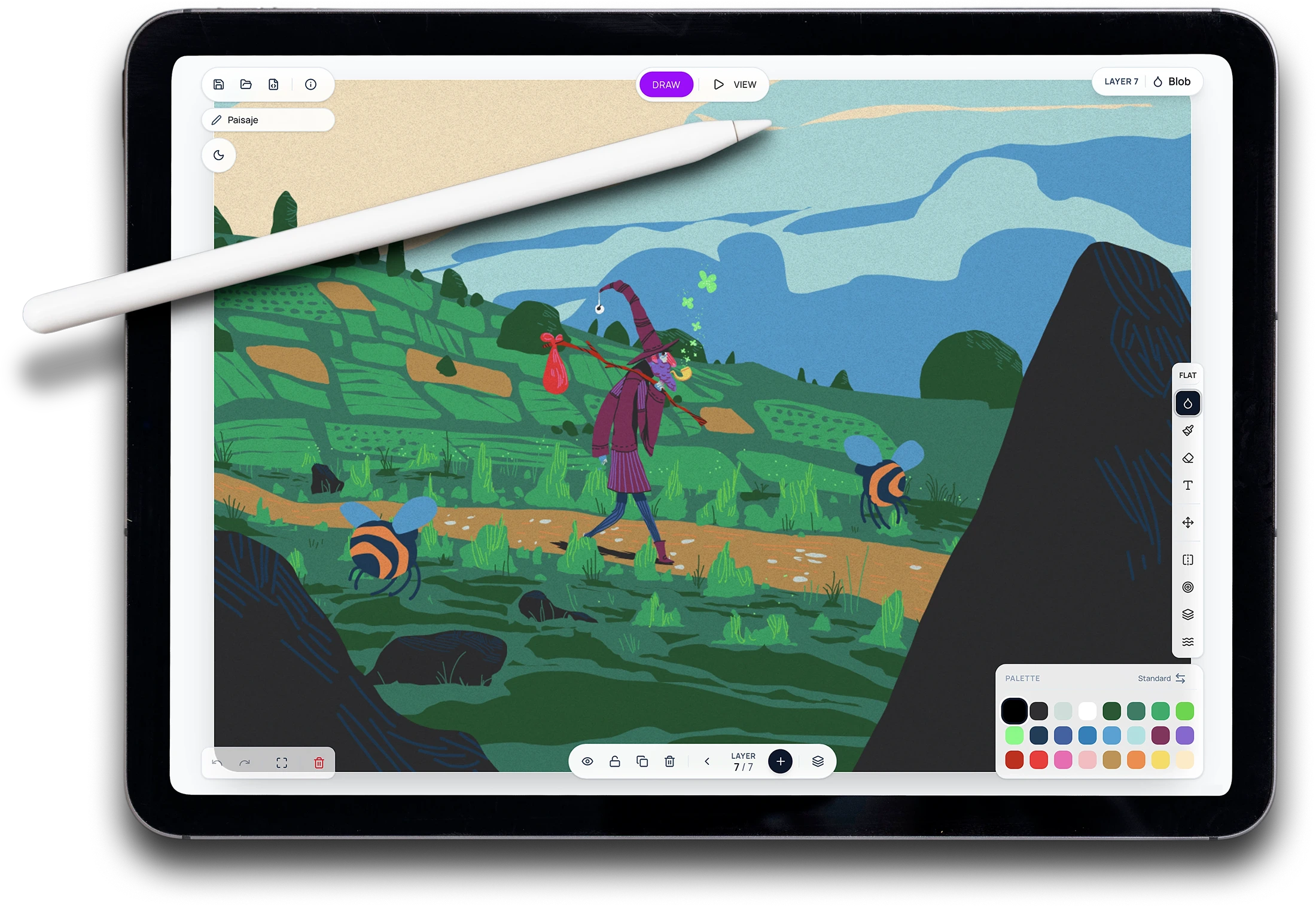
Draw without distractions using just two tools. In Diorame, every layer is automatically positioned in 3D space — no manual setup, no depth sliders.
Blob
Organic filled shapes with symmetry, draw inside, and draw behind modes
Brush
Strokes in three styles — Tapered, Uniform, or Ink — with adjustable thickness
Includes draw inside, draw behind, symmetry mode, eraser, and a text tool with 5 custom fonts. Export as PNG, SVG, or video (with true 2× high-quality export) — or save your project as a .dior file and continue later.
Bring your layers to life. The same layers you draw become animation frames — a flipbook built right into the canvas. No timeline, no rigging, just frame by frame.
Frame by frame
Each layer becomes a frame. Adjustable framerate (4/6/8 fps), loop or ping-pong playback, and onion skin to animate with reference.
Animate in motion
Animation works inside Cinema too — move the camera while your frames play, with real parallax depth or flattened flipbook style.
Export your animation as video (MP4/WebM), GIF with adjustable scale and loop or ping-pong, or a numbered PNG sequence ready for After Effects and other software. Simple, frame-by-frame animation — true to Diorame's spirit: creative constraints over complexity.
This is where it comes alive. Apply cinematic camera movements, depth-of-field, and Risograph-style post-processing effects to turn your illustration into a scene.
Storytelling
A camera that reads your artwork and turns it into a film.
Instead of a preset path, the camera reads your layers and builds a travelling shot through them — from back to front, pausing on each one. Smart framing, organic motion, and focus that follows the camera. Zero setup, one click.
Super Riso. Your diorama, risograph-printed.
Every frame of your scene turned into a scanned risograph print, in real time: inks that never quite line up, grain, fibrous paper and that unforgiving ink edge. Pick your inks, your paper and your imperfection. Want more? Turn on animated reprint: your scene gets printed again and again, like stop motion straight off the press.
- Up to 8 inks, from your drawing's colors or a riso palette
- Grain or dot screens, adjustable paper and misregistration
- Animated reprint at 4–12 fps
- Export PNG HQ, MP4 and GIF at full quality
Apply 13 post-processing effects to your illustration — procedural Risograph halftone, Super Riso, Pixel Art with palette quantization and Bayer dithering, depth of field, film grain, chromatic aberration, atmospheric fog, glow, and more. Plus 11 cinematic camera modes with parallax and optional handheld shake.
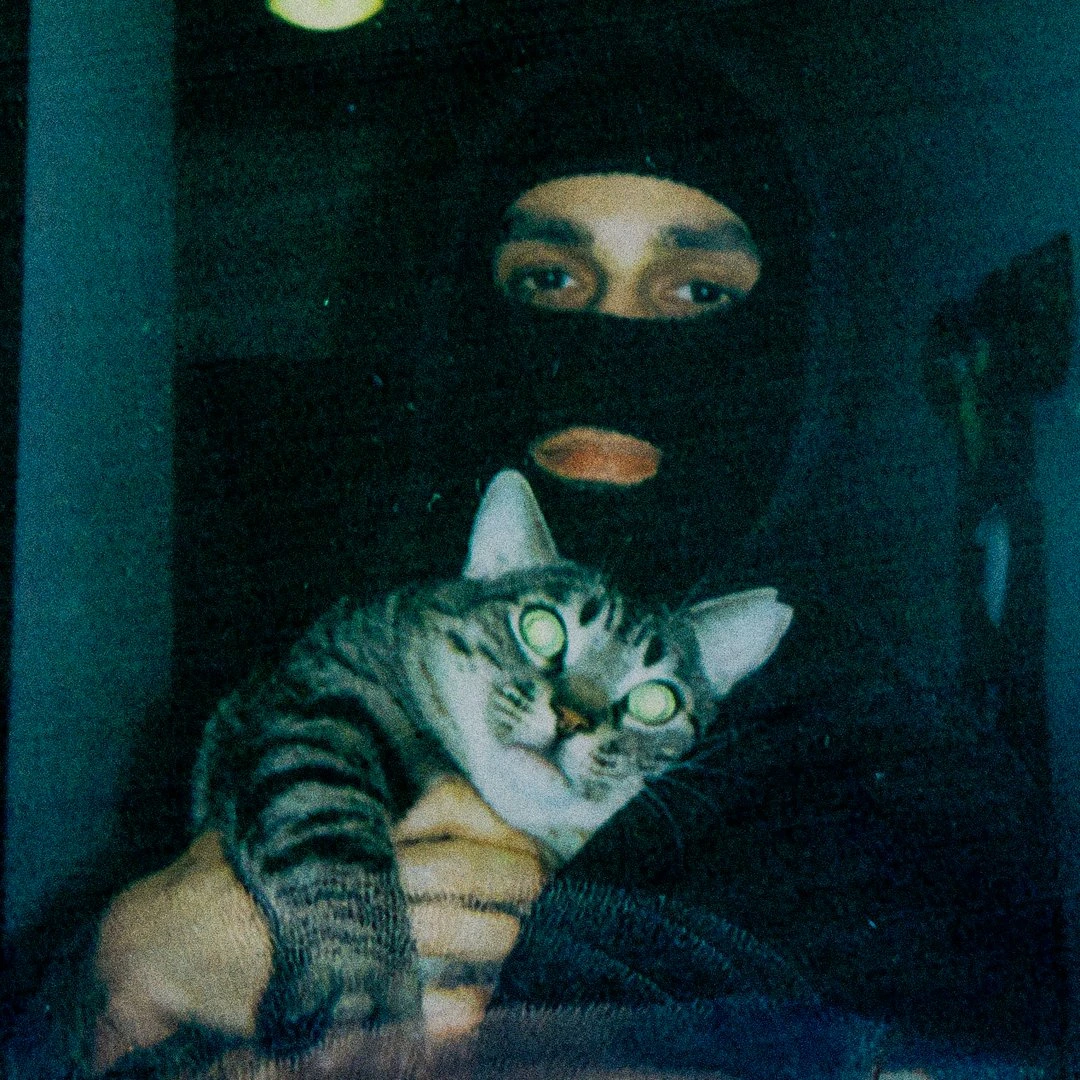
Diorame is an idea by @dumaker
Illustrator™, Designer™ y Bacín™ from Albacete, Spain
Diorame is a free, independent project. If you'd like to support it, you can do so on my ko-fi
Diorame is the drawing app I always wished for
So I decided to make it real
A free, browser-based creative tool to illustrate in 2D and bring it to life in 3D — like a digital diorama, without the complexity.
Start drawing with DiorameFrequently Asked Questions
Diorame is a free browser-based illustration tool that lets you draw in 2D and instantly bring your work to life in 3D. Each layer is automatically placed at a different depth, creating real parallax effects and cinematic camera movements — no 3D knowledge needed.
Diorame is not trying to replace Procreate, Adobe Fresco, Adobe Illustrator, or Clip Studio Paint — those are professional tools with years of features. Diorame is something different: a free, browser-based illustration tool focused on simplicity, Risograph aesthetics, and automatic 3D depth. If you want a no-install, no-account drawing tool that turns your layered illustrations into cinematic 3D scenes, Diorame is the only tool that does exactly that. Think of it less as a competitor and more as a creative space you've never had before.
Completely free, no account required. Open the app, start drawing. Nothing to install, nothing to sign up for.
Diorame runs in any modern desktop or tablet browser — Chrome, Firefox, Safari, and Edge. It's designed for desktop and tablet use only; mobile phones are not supported by design. On a phone there simply isn't enough screen space to get the most out of Diorame.
Two core drawing tools: Blob, for organic filled shapes, and Brush, for strokes in three styles — Tapered, Uniform, and Ink. Also includes an Eraser, a Text tool with 5 custom fonts, and a Move tool for transforming entire layers. Drawing modifiers include symmetry, draw inside, draw behind, and organic mode.
Yes. Diorame turns your layers into animation frames — a flipbook built on the same layer system you already use. Toggle animation mode inside Draw, set your framerate, and play your frames in a loop or ping-pong. Onion skin lets you see neighboring frames as you work, just like traditional animation.
Video (MP4 or WebM with configurable loops), animated GIF (with adjustable scale, loop or ping-pong), or a numbered PNG sequence to assemble in external software like After Effects.
No. If you can draw on layers, you can animate. Frame-by-frame with onion skin reference keeps it approachable — no timelines, no keyframes, no rigging. Just draw each frame and press play.
Yes — Diorame includes optional sound effects: small, subtle sounds that respond to your actions for a more immersive drawing session. They're off by default and you can toggle them on anytime.
Most drawing apps are flat. Diorame automatically places each layer in 3D space, so when you switch to Cinema mode you get real parallax depth and cinematic camera movements — without rigging, without manual positioning. It's the only free browser-based drawing tool built around the diorama concept.
Not at all. Diorame is, first and foremost, a drawing app. The Blob and Brush tools, the layer system, the color palettes, the modifiers — everything is designed to make drawing simple and enjoyable on its own. The 3D parallax, cinematic cameras, and post-processing effects are there when you want them, but you can ignore Cinema mode entirely and just draw. No pressure, no complexity.
Yes — Diorame is built around Risograph aesthetics. Fixed color palettes, procedural halftone grain, ink spread simulation, and misregistration effects. The Riso post-processing uses a three-pass pipeline that replicates the texture and imperfection of real Riso prints. And Diorame now includes Super Riso, a real-time effect that turns your scene into a scanned risograph print — up to 8 inks, grain or dot screens, custom textures, and animated reprint.
Super Riso is a real-time effect that turns your scene into a scanned risograph print, right in your browser. It simulates the real risography process: ink separation into up to 8 plates, grain (FM) or dot (AM) screens, misregistration between inks, irregular edges and ink micro-voids, fibrous paper and a scanner finish. The ink and paper textures are custom-made, generated from measurements of real riso prints. Choose your inks (your drawing's colors, riso CMYK, or a riso palette), your paper and your level of imperfection, with four starting styles: Clean Studio, Fanzine, Lo-fi and CMYK. You can also turn on animated reprint, which reprints the image at 4, 6, 8 or 12 fps with a fresh run each step — stop motion of the whole print. It works on desktop and iPad, exports at full quality (PNG HQ, MP4, GIF, PNG sequence), and lives alongside the lighter classic Riso effect.
13 effects in total: procedural Risograph halftone, Super Riso, Pixel Art with palette quantization and Bayer dithering, depth of field, film grain, chromatic aberration, atmospheric fog, glow, vignette, lens distortion, particles, grunge overlay, and line wiggle. All adjustable and combinable.
A dedicated post-processing effect that converts your illustration into pixel art in real time — with configurable pixel size (2–16), color depth (2–32 colors), and Bayer dithering intensity. Works on top of your layered 2D illustration, including the Riso and grain effects.
Yes. Diorame exports as PNG, SVG, SVGZ (compressed vector), and video (WebM/MP4) with the cinematic camera captured live. You can also export in high quality at 2× resolution — a true re-render, not an upscale: every stroke and effect is redrawn at the larger size, so the result is genuinely sharp and print-ready, never the soft look of a scaled-up image. And you can save your project as a .dior file and continue working on it later.
11 preset camera animations: Forward, Spiral, Yoyo, Pulse, Twist, Arc, Crane, Truck, Orbit, Zoom, and Storytelling. Each works with the 3D parallax depth of your layers. You can also add handheld shake at three intensity levels and adjust the overall cinematic speed.
Storytelling is a cinematic camera preset that animates your drawing on its own. Instead of a fixed movement, it reads the layers of your illustration and builds a travelling shot that journeys through them one by one, from back to front, pausing to take in each one. The path is data-driven — every drawing generates its own unique route. Smart framing keeps each layer balanced in frame, the motion stays organic with a subtle handheld breathing, and when combined with depth of field the focus travels with the camera, bringing each layer into focus as it arrives. One click, zero setup.
Yes. Diorame is optimized for tablet use and works with any stylus supported by your browser, including Apple Pencil on iPad. Touch gestures for zoom, pan, orbit, and undo/redo are fully supported.
Save your project often — Diorame runs entirely in the browser, and like any web app it can occasionally freeze or be closed by accident. Use the save button regularly and keep your .dior file close. Also: although Diorame includes a built-in MP4 exporter, for the best video quality we recommend using your device's native screen recording — iPad, Windows, and macOS all have built-in options that capture at full display quality.
It can. Combining several post-processing effects simultaneously — especially on less powerful machines — may slow down the cinematic camera movements in Cinema mode. If you notice lag, try reducing the number of active effects or lowering their intensity. DRAW mode is always smooth regardless of effect settings.
Diorame was inspired by Graintouch, a beautiful iPad drawing app by Iorama Studio — specifically its Risograph aesthetic, its simplicity, and its organic drawing tools. But the core idea that makes Diorame unique is entirely original: automatic 3D depth per layer, real parallax in Cinema mode, cinematic camera movements, and Risograph-style post-processing. None of that exists in Graintouch. Credit where it's due — and innovation where it counts.
I'm an illustrator, a designer, and a drawer — not a programmer. I've spent years believing that the drawing tool I had in my head was simply out of reach. AI changed that. Not as a replacement for creativity, talent, or the irreplaceable spark that makes art human — I reject that idea completely — but as a collaborator that let me build something I couldn't have built alone.
The code is mine in the sense that matters: every decision, every feature, every constraint is intentional and comes from years of thinking about what a drawing tool should feel like. AI wrote the syntax. I wrote the vision.
Diorame is free and open source — CC BY-NC-SA 4.0 licensed, repository public on GitHub — because a tool built for artists should belong to artists.